

Bali Rivo helps you turn a long list of places into a realistic daily itinerary that actually works on the island.
Instead of guessing how much you can do in a day, Bali Rivo helps you organize attractions, estimate visit times, and see how full your day really is.
No spreadsheets
No messy notes
Just clear, practical travel planning
Turn Your Dream List Into a Real Plan
Bali Rivo helps you organize attractions into realistic day-by-day itineraries. Add places, see how much fits into each day, and adjust your schedule until it feels just right.
Step 01
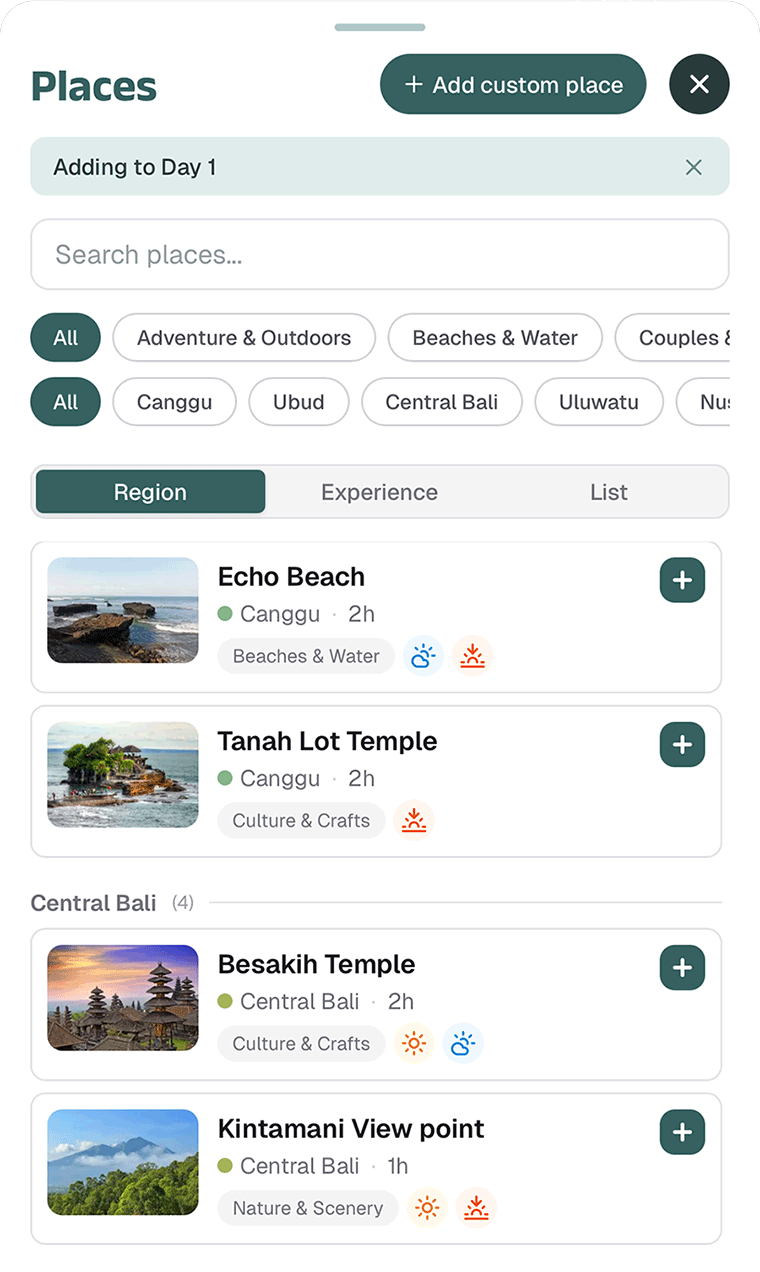
Add Places You Want to Visit
Start by adding attractions to your day. Bali Rivo helps you organize everything into day-by-day plans instead of one overwhelming list.
Temples
Waterfalls
Beaches
Cafes
Restaurants
Scenic Spots
Cultural Experiences
Your trip instantly becomes easier to visualize.
Step 02
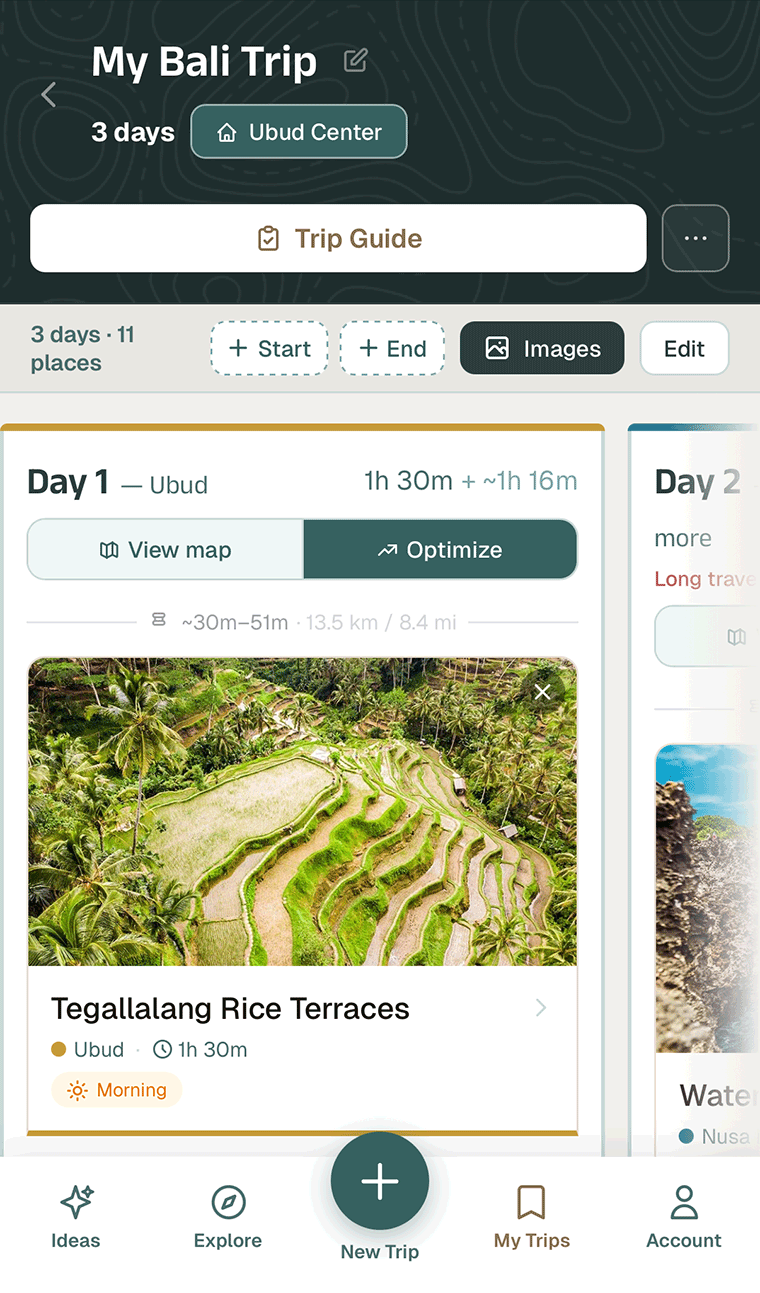
See How Your Day Shapes Up
Every place you add includes an estimated visit duration, so you can spot problems while planning — not during your trip.
- How long each stop usually takes
- Whether your day is realistic or overpacked
- If places are too far apart to fit in one route
Drag, reorder, and move stops between days until your schedule feels balanced — not rushed, not wasted.
Bali Rivo helps you plan smarter.
Step 03
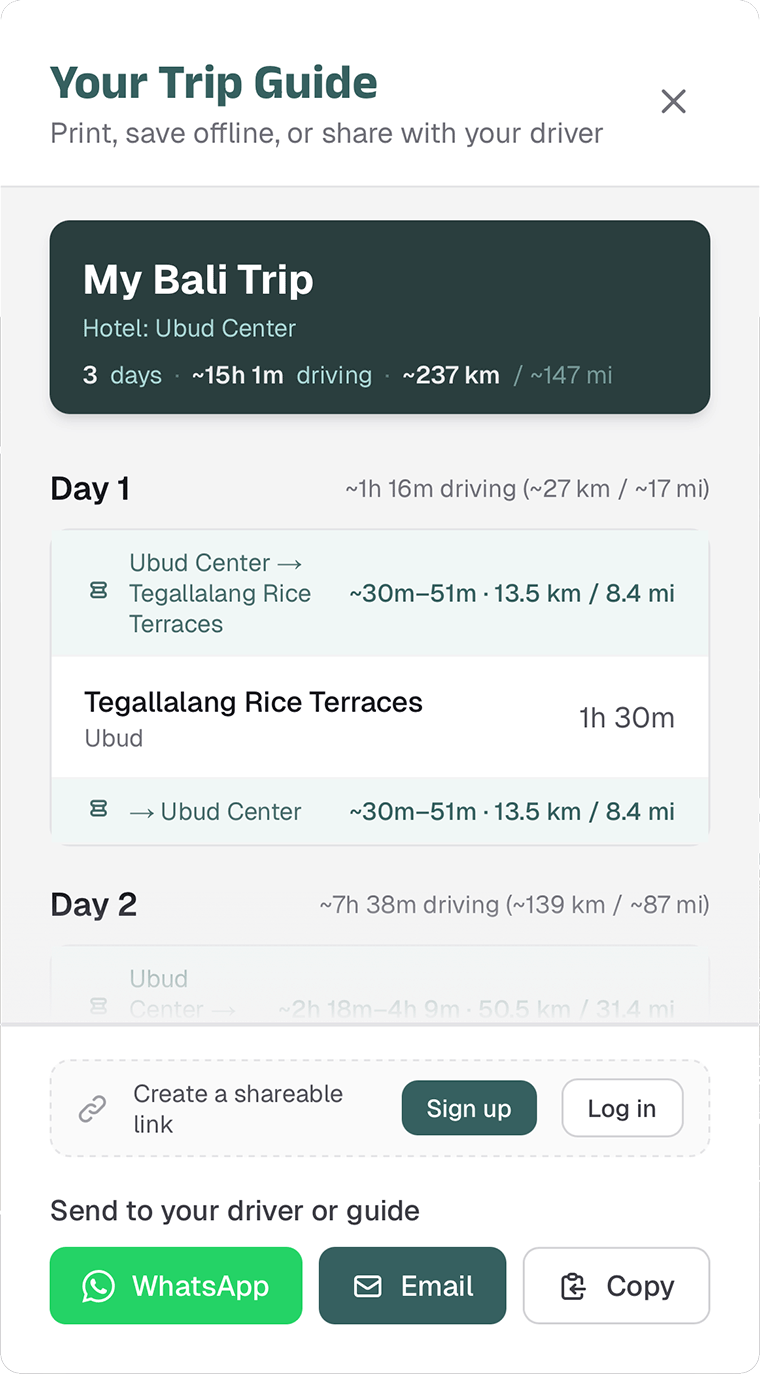
Share Your Plan With Your Driver
Most Bali travelers hire a driver for full-day trips. Bali Rivo lets you share a clean summary they can follow — easy to send over WhatsApp or pull up on your phone.
- The order of your stops
- Estimated timing for the day
- Your full itinerary in one view
No confusion, no backtracking.
Why Bali Rivo is Different
Most travel planning tools are built for global travel. Bali travel works differently.
Attractions are spread across the island, traffic can be unpredictable, and many visitors hire drivers by the day. Bali Rivo is built specifically for this travel style.
Generic tools vs Bali Rivo
- Generic itinerary builder
- Built for global travel
- No sense of Bali geography
- Can't share with your driver
- Designed specifically for Bali
- Build around how Bali travel works
- Region-aware planning
- Easy to share with drivers and guides
Start Planning Your Bali Trip
Turn your list of dream plans into a clear, realistic plan. Start building your itinerary in minutes.
Not ready to plan yet? No worries.
Drop your email, and we’ll send you Bali planning tips so you’re ready when the time comes.